

Linux一键测评脚本
⏺ Nlbench.sh 正式版本:
NodeLoc提供给各位用户的主机聚合测评脚本,可一键自动对主机进行Yabs、融合怪、IP质量、流媒体解锁,三网测速,iperf3,回程路由等测评,测评结束后将会保存结果为MarkDown文件,方便快速上传至NodeLoc论坛。
Github项目地址:https://github.com/everett7623/nodeloc_vps_test
curl -sSL abc.sd | bashVPS 综合测试
⏺ 融合怪:
curl -L https://gitlab.com/spiritysdx/za/-/raw/main/ecs.sh -o ecs.sh && chmod +x ecs.sh && bash ecs.sh或
bash <(wget -qO- bash.spiritlhl.net/ecs)⏺ 融合怪GO 版本(Linux/FreeBSD/MacOS使用):
项目地址:oneclickvirt/ecs
curl -L https://raw.githubusercontent.com/oneclickvirt/ecs/master/goecs.sh -o goecs.sh && chmod +x goecs.sh && bash goecs.sh env && bash goecs.sh install && goecs或
curl -L https://cdn.spiritlhl.net/https://raw.githubusercontent.com/oneclickvirt/ecs/master/goecs.sh -o goecs.sh && chmod +x goecs.sh && bash goecs.sh env && bash goecs.sh install && goecs⏺ LemonBench:
检查vps基本信息,网络,流媒体解锁,路由等。
wget -qO- https://raw.githubusercontent.com/LemonBench/LemonBench/main/LemonBench.sh | bash -s -- --fast⏺ UnixBench.sh:
秋水逸冰大佬的作品,Unixbench的主要测试项目有:系统调用、读写、进程、图形化测试、2D、3D、管道、运算、C库等系统基准性能提供测试数据。
wget --no-check-certificate https://github.com/teddysun/across/raw/master/unixbench.sh && chmod +x unixbench.sh && ./unixbench.sh⏺ Bench 网络带宽及硬盘读写速率:
国外部分+国内部分节点)
wget -qO- bench.sh | bash⏺ SuperBench.sh 网络带宽及硬盘读写速率:
SuperBench脚本是老鬼(Oldking)大神在基于秋水逸冰(teddysun)脚本bench.sh的基础上,加入了独立服务器通电时间检测、服务器虚拟化架构、TCP拥塞控制等功能。
wget -qO- --no-check-certificate https://raw.githubusercontent.com/oooldking/script/master/superbench.sh | bash⏺ YABS 性能测试脚本:
脚本比较全面,可用来测试vps多项性能,包括配置信息、磁盘IO测试、网络带宽测试和Geekbench测试。
curl -sL yabs.sh | bash⏺ Geekbench 5 专测脚本:
bash <(curl -sL gb5.top)IP 质量/解锁
⏺ IP 质量检测:
bash <(curl -Ls IP.Check.Place)或
bash <(wget -qO- bash.spiritlhl.net/ecs-ipcheck)⏺ 流媒体解锁:
bash <(curl -L -s media.ispvps.com)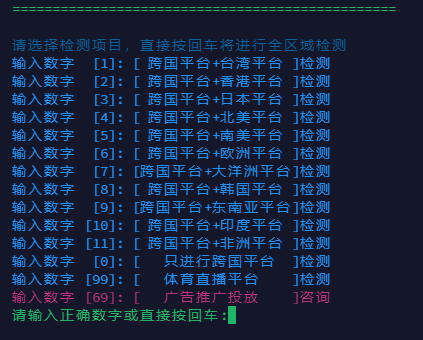
或
bash <(curl -L -s check.unlock.media)或
bash <(curl -Ls unlock.icmp.ing/scripts/test.sh)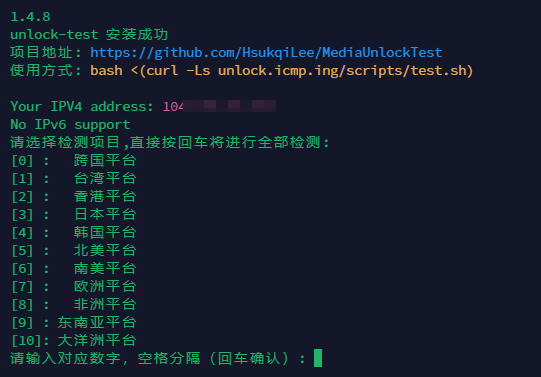
⏺ OpenAI 解锁检测:
bash <(curl -Ls https://github.com/ludashi2020/OpenAI-Checker/raw/main/openai.sh)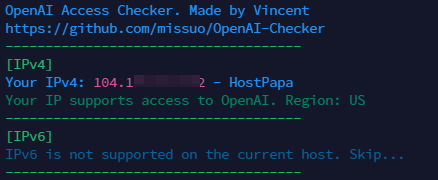
带宽测试
⏺ Hyperspeed 三网测速:
bash <(curl -Lso- https://bench.im/hyperspeed)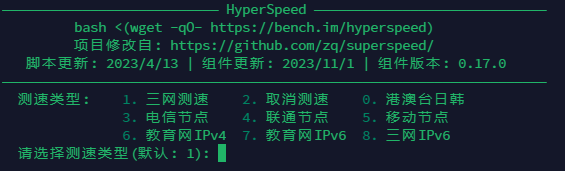
⏺ 综合测速脚本 nws.sh:
curl -sL nws.sh | bash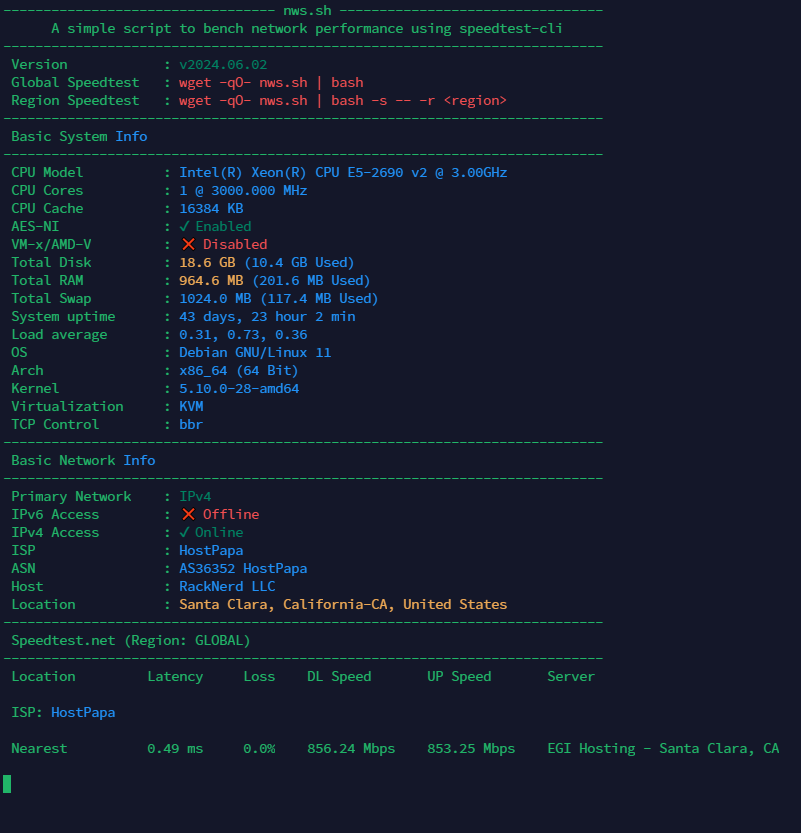
⏺ 多功能 自更新 测速脚本:
三网,含多线程,单线程等测速
bash <(curl -sL bash.icu/speedtest)⏺ DD 磁盘测试
生成5G 文件,顺序
dd if=/dev/zero of=5gb bs=1M count=5120生成 5G 文件,随机
dd if=/dev/urandom of=5gb bs=1M count=5120⏺ HTTP 单线程下载测试
服务端
启动简易 http 服务
python3 -m http.server客户端
直接用浏览器下载或其他工具下载
建议用edge等浏览器
也可以试试IDM下载
替换下方yourip为你的ip地址
wget http://yourip:8000/5gb删除测试文件
服务端删除文件:
rm 5gb路由追踪
⏺ AutoTrace 回程路由:
wget -N --no-check-certificate https://raw.githubusercontent.com/Chennhaoo/Shell_Bash/master/AutoTrace.sh && chmod +x AutoTrace.sh && bash AutoTrace.sh⏺ BestTrace 回程路由:
进入后一键测试,北上广三网
wget -qO- git.io/besttrace | bash⏺ BackTrace 回程路由:
curl https://raw.githubusercontent.com/zhanghanyun/backtrace/main/install.sh -sSf | sh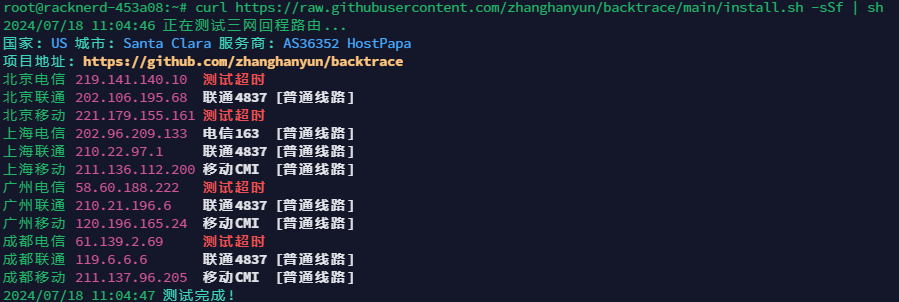
⏺ NextTrace 回程路由:
curl nxtrace.org/nt |bash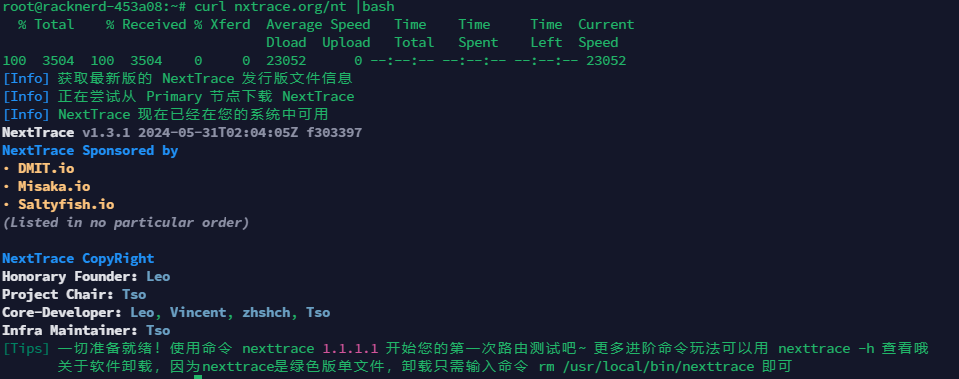
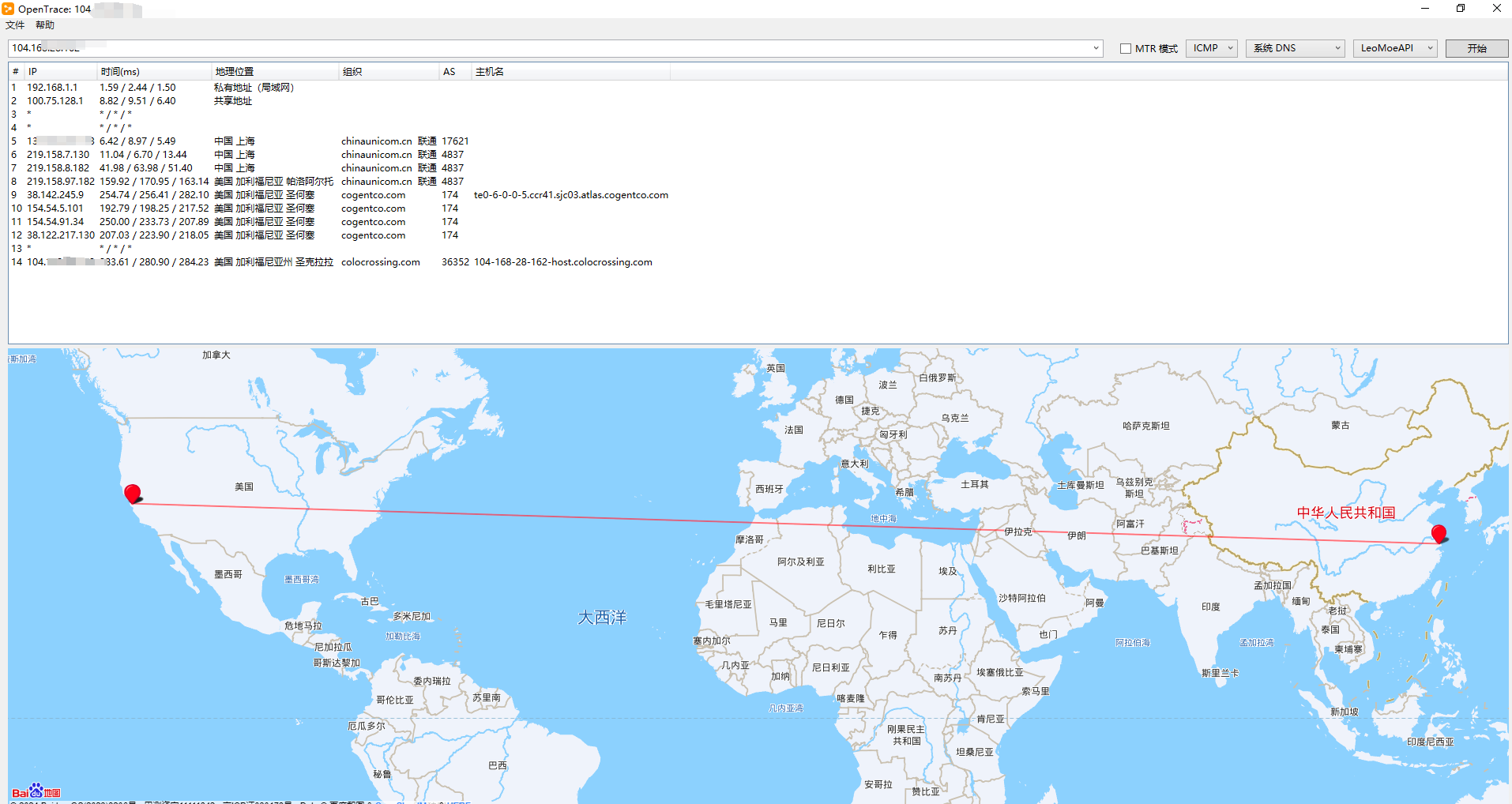
⏺ OpenTrace 回程路由:
OpenTrace 是 NextTrace 的跨平台 GUI 界面,带来您熟悉但更强大的用户体验。
https://github.com/Archeb/opentrace
⏺ Pingsx MTR 回程路由:
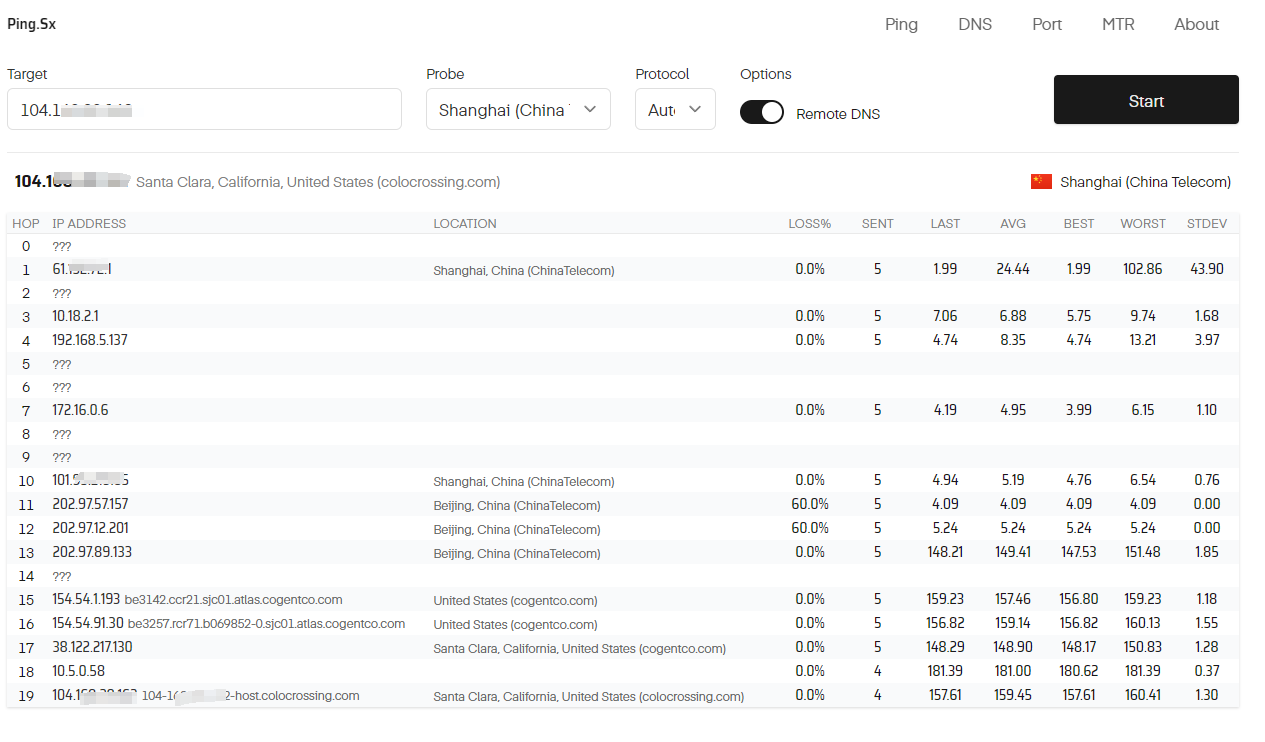
⏺ 去程路由:
https://www.itdog.cn/traceroute/
https://tools.ipip.net/traceroute.php
延迟/丢包测试
⏺ Google/Facebook/X/Youtube/Netflix/Chatgpt/Github延迟
bash <(curl -sL https://nodebench.mereith.com/scripts/curltime.sh)⏺ Ping.pe
全球延迟,丢包
⏺ Pingsx Ping
在线Ping,Port,DNS,MTR等测试
⏺ Itdog Ping
运维工具
⏺ vps_scripts:
wget -O vps.sh https://raw.githubusercontent.com/everett7623/vps_scripts/main/vps.sh && chmod +x vps.sh && ./vps.sh⏺ 科技 lion 一键脚本工具:
curl -sS -O https://raw.githubusercontent.com/kejilion/sh/main/kejilion.sh && chmod +x kejilion.sh && ./kejilion.sh⏺ VPS 一键脚本工具箱:
curl -fsSL https://raw.githubusercontent.com/eooce/ssh_tool/main/ssh_tool.sh -o ssh_tool.sh && chmod +x ssh_tool.sh && ./ssh_tool.sh⏺ BlueSkyXN 综合工具箱:
wget -O box.sh https://raw.githubusercontent.com/BlueSkyXN/SKY-BOX/main/box.sh && chmod +x box.sh && clear && ./box.sh⏺ jcnf 常用脚本工具包:
wget -O jcnfbox.sh https://raw.githubusercontent.com/Netflixxp/jcnf-box/main/jcnfbox.sh && chmod +x jcnfbox.sh && clear && ./jcnfbox.sh⏺ Sm1rkBoy’s 一键脚本:
bash <(curl -Ls https://raw.githubusercontent.com/Sm1rkBoy/monitor_config/main/install.sh)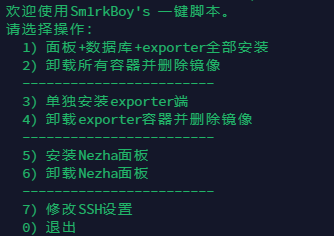
⏺ 轻量VPS测试集合:
bash <(curl -Ls resource.yserver.ink/all.sh) --custom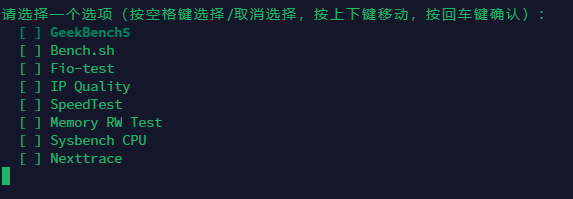
⏺ one-click-installation-script 一键修复与安装脚本(各种脚本)
去GitHub寻找需要的 https://github.com/spiritLHLS/one-click-installation-script
⏺ VPS ToolBox:
bash <(curl -Lso- https://sh.vps.dance/toolbox.sh)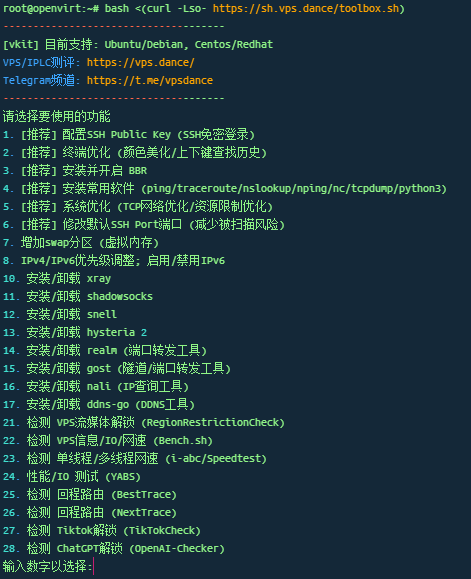
⏺ Nekoneko – Linux网络优化:
bash <(curl -Lso- http://sh.nekoneko.cloud/tools.sh)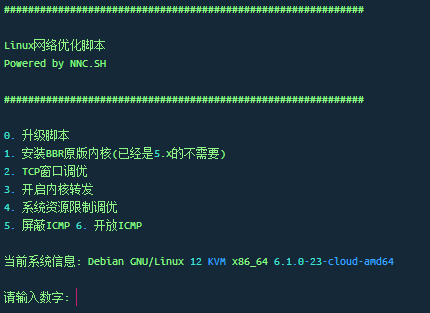
DD重装脚本
⏺ leitbogioro大佬的脚本(推荐):
系统默认为debian12
wget --no-check-certificate -qO InstallNET.sh 'https://raw.githubusercontent.com/leitbogioro/Tools/master/Linux_reinstall/InstallNET.sh' && chmod a+x InstallNET.sh && bash InstallNET.sh -debian 12 -pwd '密码'⏺ beta.gs大佬的脚本:
bash <(wget --no-check-certificate -qO- 'https://raw.githubusercontent.com/MoeClub/Note/master/InstallNET.sh') -d 12 -v 64 -p 密码 -port 端口 -a -firmware⏺ beta.gs:
wget --no-check-certificate -O NewReinstall.sh https://raw.githubusercontent.com/fcurrk/reinstall/master/NewReinstall.sh && chmod a+x NewReinstall.sh && bash NewReinstall.sh⏺ Nekoneko – DD一键脚本:
bash <(curl -Lso- http://sh.nekoneko.cloud/DD/AutoReinstall.sh)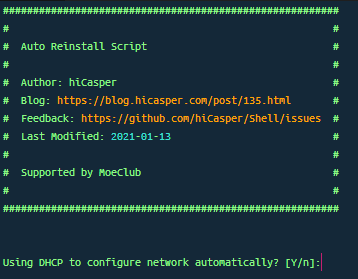
科学工具
⏺ WARP
WARP 集合(5warp版本集合):
Cloudflare warp脚本 添加IPv4/IPv6网络
bash <(curl -sSL https://gitlab.com/fscarmen/warp_unlock/-/raw/main/unlock.sh)FSCARMEN Warp:
Cloudflare warp脚本 添加IPv4/IPv6网络
wget -N https://gitlab.com/fscarmen/warp/-/raw/main/menu.sh && bash menu.sh 4日常维护 warp
FSCARMEN WARP-GO:
Cloudflare warp脚本 添加IPv4/IPv6网络
wget -N https://raw.githubusercontent.com/fscarmen/warp/main/warp-go.sh && bash warp-go.sh日常维护 warp-go
P3TERX Warp:
Cloudflare warp脚本 添加IPv4/IPv6网络
bash <(curl -fsSL git.io/warp.sh) menu日常维护 bash warp.sh
勇哥 Warp:
Cloudflare warp脚本 添加IPv4/IPv6网络
bash <(curl -Ls https://gitlab.com/rwkgyg/CFwarp/raw/main/CFwarp.sh)⏺ BBR
BBR 脚本:
echo "net.core.default_qdisc=fq" >> /etc/sysctl.confecho "net.ipv4.tcp_congestion_control=bbr" >> /etc/sysctl.confsysctl -p
sysctl net.ipv4.tcp_available_congestion_control
lsmod | grep bbr
Linux-NetSpeed(锐速/bbrplus/bbr 魔改版):
wget -N --no-check-certificate "https://raw.githubusercontent.com/chiakge/Linux-NetSpeed/master/tcp.sh" && chmod +x tcp.sh && ./tcp.shylx 大佬的锐速/BBRPLUS/BBR2:
wget -O tcpx.sh "https://github.com/ylx2016/Linux-NetSpeed/raw/master/tcpx.sh" && chmod +x tcpx.sh && ./tcpx.shNekoneko – BBR一键安装:
bash <(curl -Lso- http://sh.nekoneko.cloud/bbr/bbr.sh)⏺ 常用科学
Sing-box 全家桶:
bash <(wget -qO- https://raw.githubusercontent.com/fscarmen/sing-box/main/sing-box.sh)勇哥 Sing-box:
bash <(curl -Ls https://gitlab.com/rwkgyg/sing-box-yg/raw/main/sb.sh)Mack-a 8合1:
wget -P /root -N --no-check-certificate "https://raw.githubusercontent.com/mack-a/v2ray-agent/master/install.sh" && chmod 700 /root/install.sh && /root/install.sh新版 X-UI:
bash <(curl -Ls https://raw.githubusercontent.com/FranzKafkaYu/x-ui/master/install.sh)或
bash <(wget -qO- https://raw.githubusercontent.com/sing-web/x-ui/main/install_CN.sh)3X-UI:
bash <(curl -Ls https://raw.githubusercontent.com/mhsanaei/3x-ui/master/install.sh)勇哥 x-ui:
bash <(curl -Ls https://gitlab.com/rwkgyg/x-ui-yg/raw/main/install.sh)中转
⏺ Realm 转发:
脚本添加在中转鸡上
wget https://raw.githubusercontent.com/Jaydooooooo/Port-forwarding/main/RealmOneKey.sh && chmod +x RealmOneKey.sh && ./RealmOneKey.sh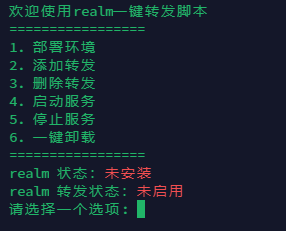
⏺ Nekoneko – 一键Brook转发:
bash <(curl -Lso- http://sh.nekoneko.cloud/brook-pf/brook-pf.sh)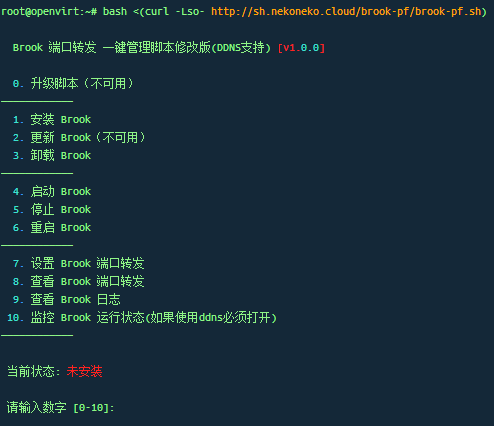
IPV6
⏺ IPV6小鸡科学三步曲
dns64
cp /etc/resolv.conf{,.bak}; echo -e "nameserver 2a00:1098:2b::1\nnameserver 2a01:4f9:c010:3f02::1\nnameserver 2a01:4f8:c2c:123f::1\nnameserver 2a00:1098:2c::1" > /etc/resolv.confwarp IPv4
wget -N https://gitlab.com/fscarmen/warp/-/raw/main/menu.sh && bash menu.sh 4argox (xray + argo) 或者 sba( sing-box + argo)
argox (xray + argo)
bash <(wget -qO- https://raw.githubusercontent.com/fscarmen/argox/main/argox.sh) -Csba( sing-box + argo)
bash <(wget -qO- https://raw.githubusercontent.com/fscarmen/sba/main/sba.sh) -C其他工具
⏺ 超售测试脚本:
wget --no-check-certificate -O memoryCheck.sh https://raw.githubusercontent.com/uselibrary/memoryCheck/main/memoryCheck.sh && chmod +x memoryCheck.sh && bash memoryCheck.sh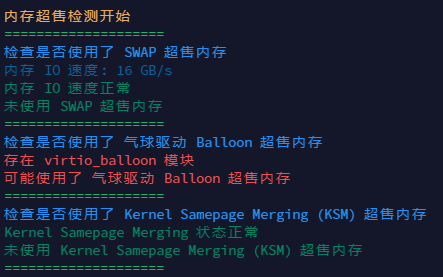
⏺ 移除virtio_balloon模块:
rmmod virtio_balloon⏺ 内存填充测试:
FunctionClub大佬作品,检测VPS真实可分配内存,适用于检测VPS超售情况
apt-get update
apt-get install wget build-essential -y
wget https://raw.githubusercontent.com/FunctionClub/Memtester/master/memtester.cpp
gcc -l stdc++ memtester.cpp
./a.out
⏺ spiritlhl 大佬的 zram 内存压缩脚本:
curl -L https://raw.githubusercontent.com/spiritLHLS/addzram/main/addzram.sh -o addzram.sh && chmod +x addzram.sh && bash addzram.sh⏺ moerats 大佬的添加 swap 脚本:
wget https://www.moerats.com/usr/shell/swap.sh && bash swap.sh⏺ fail2ban 服务器 ssh 防爆破:
wget https://raw.githubusercontent.com/FunctionClub/Fail2ban/master/fail2ban.sh && bash fail2ban.sh 2>&1 | tee fail2ban.log⏺ 独服硬盘测试:
独立服务器硬盘时间
wget -q https://github.com/Aniverse/A/raw/i/a && bash a⏺ 25端口:
telnet smtp.aol.com 25⏺ 测试 IPv4 / IPv6 优先:
curl ip.p3terx.com⏺ PagerMaid-Pyro机器人 Docker安装
TG自走机器人(需要VPS)
wget https://raw.githubusercontent.com/TeamPGM/PagerMaid-Pyro/development/utils/docker.sh -O docker.sh && chmod +x docker.sh && bash docker.sh⏺ 一键删除平台监控
一键移除大多数云服务器监控 涵盖阿里云、腾讯云、华为云、UCLOUD、甲骨文云、京东云
curl -L https://raw.githubusercontent.com/spiritLHLS/one-click-installation-script/main/install_scripts/dlm.sh -o dlm.sh && chmod +x dlm.sh && bash dlm.sh⏺ Nekoneko – Gost一键脚本:
bash <(curl -Lso- http://sh.nekoneko.cloud/EasyGost/gost.sh)⏺ Nekoneko – Ehco一键脚本:
bash <(curl -Lso- http://sh.nekoneko.cloud/ehco.sh/ehco.sh)常用推荐
⏺ 哪吒探针 安装:
curl -L https://raw.githubusercontent.com/naiba/nezha/master/script/install.sh -o nezha.sh && chmod +x nezha.sh && sudo ./nezha.sh⏺ Alist 一键安装:
curl -fsSL "https://alist.nn.ci/v3.sh" | bash -s install⏺ Xiao Alist 一键安装:
bash -c "$(curl --insecure -fsSL https://ddsrem.com/xiaoya_install.sh)"⏺ 一键安装filebrowser平台
端口设置为3030了,其他登陆信息详见提示 filebrowser平台支持下载上传文件到服务器, 批量下载多个文件(自定义压缩格式),构建文件分享链接,设置分享时长 如果本地有启用IPV6优先级可能绑定到V6去了,使用lsof -i:3030查看绑定情况,切换优先级后再安装就正常了
curl -L https://raw.githubusercontent.com/spiritLHLS/one-click-installation-script/main/install_scripts/filebrowser.sh -o filebrowser.sh && chmod +x filebrowser.sh && bash filebrowser.sh

Hi, this is a comment.
To get started with moderating, editing, and deleting comments, please visit the Comments screen in the dashboard.
Commenter avatars come from Gravatar.